One Block Horrors But Gun GUI Hub Script Guide
All-in-one panel features explained — auto eat, break block, item helpers, movement, themes — with safety first.
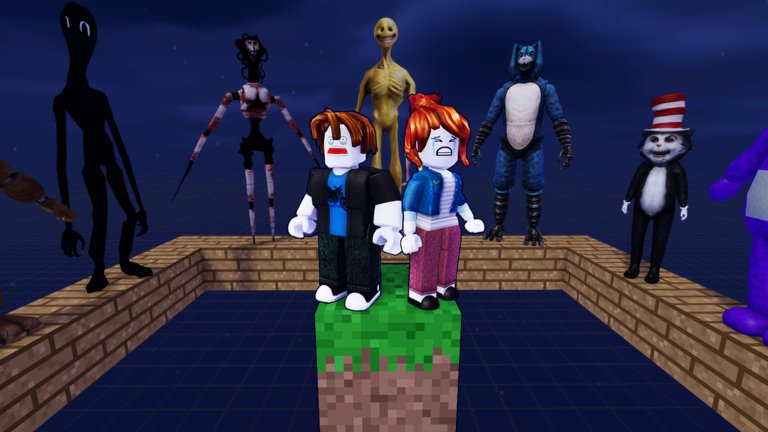
What a GUI hub is
A GUI hub script wraps dozens of cheats into a single on-screen window: tabs, toggles, sliders, and sometimes a theme picker. For One Block-style Roblox titles — including community tooling aimed at experiences like ONE BLOCK HORROR by jacobis (covered here as One Block Horrors But Gun) — the hub pattern is popular because players want Auto Break Block, Auto Eat, item helpers, walkspeed, jumppower, and visual themes without juggling five separate pastes.
This page catalogs those features so you can recognize them. It is not a download page. Third-party GUIs require executors, violate Roblox rules, and can ban or infect accounts. Read the Scripts Hub disclaimer first. Prefer legitimate mastery via Getting Started if you are here by accident.
Core toggles you will see labeled
Auto Eat / Auto Heal. Consumes food or healing items when hunger or health dips. In a horror Survival loop that matters overnight, automatic eating can keep an AFK body alive longer — and can also waste rare food your squad needed for a coordinated push.
Auto Break Block. The hub equivalent of farm’s Auto Hit: keeps mining the regenerating One Block. Often paired with a dropdown for tool choice. Details overlap the Auto Farm Script guide; hubs simply expose the same idea beside unrelated sliders.
Item giver / item helpers. Buttons that attempt to grant tools, materials, or debug items. On modern RemoteEvent-locked experiences these often fail silently or only work when a developer left a stub. Treat “free diamond gear” buttons as fantasy unless you are on an unlocked test place.
Walkspeed and Jumppower. Sliders that rewrite humanoid properties. Great for bridging outward from a tiny floating pad in theory; terrible for subtlety. Extreme jump values yeet you into the void under ONE BLOCK HORROR’s open skybox.
Theme / UI skin. Cosmetic only: dark red horror themes, compact layouts, keybind rebinds. Themes do not make a malicious payload safe. A pretty window can still steal a session cookie.
Extra tabs commonly include ESP, player list teleports, auto collect, anti-AFK, spam emotes, and “panic hide GUI” keys for when a friend starts recording.
How hubs fit the One Block horror loop
Official gameplay is simple to say and hard to master: mine the regenerating One Block, expand the floating base, upgrade tools, survive night monsters, free-to-play, up to 20 players. A GUI hub tries to collapse hours of mining and inventory micromanagement into checkbox form.
That compression attacks the wrong half of the fantasy. Daytime grinding is repetitive on purpose so nighttime tension feels earned. If every resource arrives through Auto Break plus item giver spam, the Tools Tier List becomes meaningless numbers, and monster tiers on the Monsters Tier List feel like annoyances instead of threats.
Use the mental model anyway: hubs shine (for people who accept ban risk) during quiet daylight expansion on alt accounts. They become liabilities at night when you need precise movement, shared callouts, and clean inventory for clutch heals.
Conceptual use — and what we refuse to provide
Running a hub conceptually means: Roblox client open, executor attached, payload executed, GUI appears, toggles flipped. That is all. We will not recommend a specific executor, keyless loader, or paste site. We will not provide scripts. If a hub’s first screen asks for your password, webhook, or to disable antivirus, delete it.
Configuration hygiene mirrors auto farm advice: tight auto-collect radii, Auto Break only while you watch the first minute for errors, movement sliders only a notch above default until you feel bridging accuracy, Auto Eat capped so it cannot empty the whole food stack in one scare. Keep a manual kill switch. Disable everything before joining a friend’s serious co-op night described in Co-op Tips.
Comparing GUI hub vs dedicated auto farm
Choose mentally, do not stack blindly.
- Auto farm pastes focus on hit loops, loot vacuum, chests, speed, anti-AFK — see Auto Farm Script.
- GUI hubs add Auto Eat, item giver style buttons, themes, ESP, and broader player utilities in one window.
Hubs feel more “complete” and therefore more tempting to leave running. That raises detection and social risk in public servers. Farm-only pastes are narrower but still against the rules. Neither is endorsed.
After jacobis ships a latest patch, assume both break until proven otherwise. Remote renames and tool stat tweaks are normal for a live Survival place with growing visits.
Social and fair-play angle
In a 20-player lobby, a glowing custom GUI is visible in recordings even if you hide it from yourself. Content creators can get clipped. Hosts running chill horror nights may kick on sight. If your goal is making friends through Solo Survival practice then graduating to co-op, scripts actively work against that goal.
Also remember: no verified promo codes currently sit on the Codes Hub. Any GUI button labeled “Redeem all codes” is either outdated theater or a phishing hook. Official redemption, when codes exist, uses the in-game Codes UI described in How to Redeem Codes.
Practical checklist before you ever attach
- Re-read ban risk on the Scripts Hub.
- Use an alt with nothing valuable.
- Never paste unknown
.exerenames. - Prefer reading feature lists over downloading “OP keyless” bundles.
- Plan a legitimate session backup: mining route, tool upgrade target, night role.
If step 5 sounds more appealing than steps 1–4, skip the hub entirely and play the game jacobis shipped.
Closing
GUI hub scripts for One Block Roblox experiences typically advertise Auto Eat, Auto Break Block, item giver helpers, walkspeed, jumppower, themes, and a pile of ESP/teleport extras. They are convenient, flashy, and dangerous. This guide names the features so marketing blurbs cannot confuse you — and repeats that every toggle is at your own risk. The floating island, the regenerating block, and the night monsters are still best faced with upgraded tools and teammates who trust you.
Frequently Asked Questions
Quick answers to the most common questions.
What is a GUI hub script?
An all-in-one on-screen panel that groups many cheats — farming, movement, items, visuals — behind toggles and sliders instead of separate pastes.
Does Auto Eat make nights free?
No. It may spend food automatically, but monster patterns, positioning, and team play still decide whether you survive.
Are item giver buttons real?
Often they fail on live, secured remotes. Treat free gear buttons as unreliable and potentially malicious bait.
Is a themed GUI safer?
No. Themes only change looks. Safety depends on the payload and executor, both of which remain against Roblox rules.
Should I run GUI hub and auto farm together?
Avoid stacking. Feature overlap causes errors and more detectable behavior. Mentally pick one category — then reconsider playing fair instead.