One Block Horrors But Gun Scripts Hub
What automation does in One Block horror survival — and why every executor choice is at your own risk.
What “scripts” mean for this game
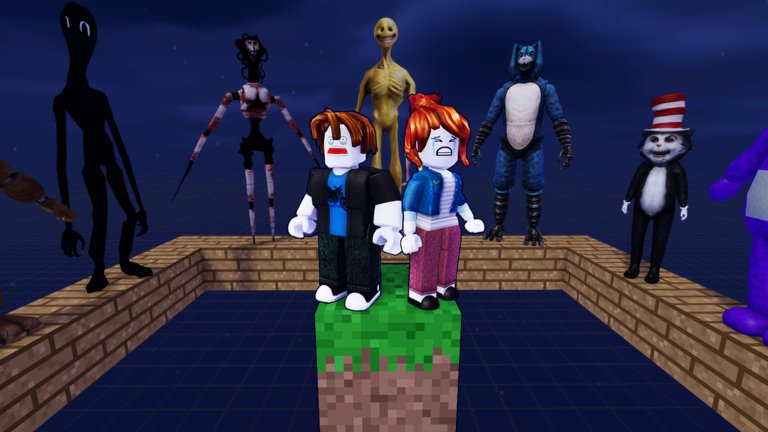
One Block Horrors But Gun is the wiki brand for Roblox’s ONE BLOCK HORROR by jacobis group — a free-to-play Survival experience where you mine a regenerating One Block, expand a floating base, upgrade tools, and survive monsters at night with up to 20 players. In this genre, community scripts are unofficial Lua payloads run through a third-party executor. They are not part of the official game, not endorsed by jacobis, and not required to enjoy co-op nights.
This hub explains the feature categories players search for — auto farm loops, GUI control panels, movement helpers, and ESP-style overlays — so you can read child guides with clear eyes. It also states the hard disclaimer up front: use any script at your own risk. Detection, bans, stolen cookies, and malware are real outcomes. If you only want fair progression, skip straight to Getting Started and the Tier List Hub.
Feature categories you will see
Auto mine / break block. Loops clicks or tool swings against the regenerating One Block so resources keep dropping while you watch chat or AFK with anti-idle toggles. Detailed breakdown lives on the Auto Farm Script page.
Auto collect. Pulses nearby loot, floating drops, and sometimes chest interactions so materials do not despawn into the void during frantic night fights.
Movement helpers. Walk speed, jump power, and light flight-style tweaks that make island expansion faster — and make you extremely obvious to anyone spectating.
ESP / world helpers. Highlights players, monsters, or resource nodes through walls. Useful for night callouts in theory; disruptive and ban-sensitive in practice.
GUI hubs. One window that wraps many toggles (auto eat, item helpers, themes, keybinds). See the GUI Hub Script guide for a typical control layout.
Item / tool helpers. Shortcuts that equip better pickaxes, spam consumables, or surface inventory actions without opening default bags.
None of these replace learning monster threat tiers on the Monsters Tier List or knowing which tools belong in S-tier on the Tools Tier List. Scripts change input speed; they do not teach timing.
Safety and account risk (read this)
Roblox’s rules prohibit unauthorized third-party software that automates gameplay or modifies the client. Using an executor can result in moderation action up to account loss. Keyless loaders and “OP” pastes circulating for One Block-style experiences are especially attractive to malware authors because desperate players click anything labeled free.
Practical hygiene if you still proceed:
- Prefer an alt account you can afford to lose; never paste scripts while logged into a main with limited UGC or credit card links.
- Download executors only from places you independently trust; this wiki will not host binaries or claim any loader is safe.
- Read every toggle before enabling godmode-style options that grief shared servers.
- Disable automation before trading, chatting with mods, or recording content you care about.
- If a script asks for your password, cookie, or webhook — close it immediately.
We describe features so you can evaluate risk. We do not provide malware, exploit proofs of concept, or step-by-step bypasses of Roblox security.
Fair-play alternatives
Most of what auto farm promises can be approached legitimately: longer mining sessions with a wider catch platform, co-op role splits from the Players Hub, and smarter upgrade paths after each latest patch. Codes — when they exist — are listed on the Codes Hub; they will not appear inside a script GUI.
If your goal is simply less boredom during daytime grinding, rotate who mines in co-op, expand the island so drops cannot fall forever, and take breaks at dawn. That keeps the horror fantasy intact: night still matters, monsters still threaten, and your floating base still feels earned.
How to use this hub
Start with Auto Farm Script if you care about block hitting, loot vacuum, chests, walk speed, and anti-AFK concepts. Open GUI Hub Script if you want the all-in-one panel feature list (auto eat, break block, item giver style toggles, movement, themes). Return here when a new paste claims twenty features — map those claims onto the categories above and discard anything that demands credentials.
Pair script literacy with real guides. New players should still complete Getting Started. Veterans should watch the Updates Hub because jacobis patches can break remotes that fragile scripts rely on overnight.
Bottom line
Scripts exist for related One Block Roblox experiences: auto farm stacks, GUI hubs, and keyless “OP” bundles that advertise speed and ESP. In ONE BLOCK HORROR, those same categories appear in community chatter. Treat every loader as hostile until proven otherwise, expect bans, and remember the intended loop — mine, expand, upgrade, survive the night — works without them. This hub’s job is clarity and caution, not a download mirror.
Frequently Asked Questions
Quick answers to the most common questions.
Are scripts allowed in One Block Horrors But Gun?
No. Third-party executors and automation violate Roblox rules. Anything you run is at your own risk and can lead to account penalties.
What do auto farm scripts usually include?
Common toggles are auto hit on the regenerating block, auto collect loot, chest helpers, walk speed, and anti-AFK. See the Auto Farm Script page for a fuller feature map.
Is a GUI hub safer than a raw auto farm paste?
Not necessarily. A polished window can still ship malware or ban-prone remotes. Evaluate the same risk either way.
Can scripts redeem promo codes for me?
Do not trust that claim. Use the official Codes UI when verified promos exist, and ignore scripts that ask for passwords.
What should I play instead of scripting?
Follow Getting Started, upgrade tools using the tier lists, and coordinate co-op roles on the Players Hub for legitimate progress.